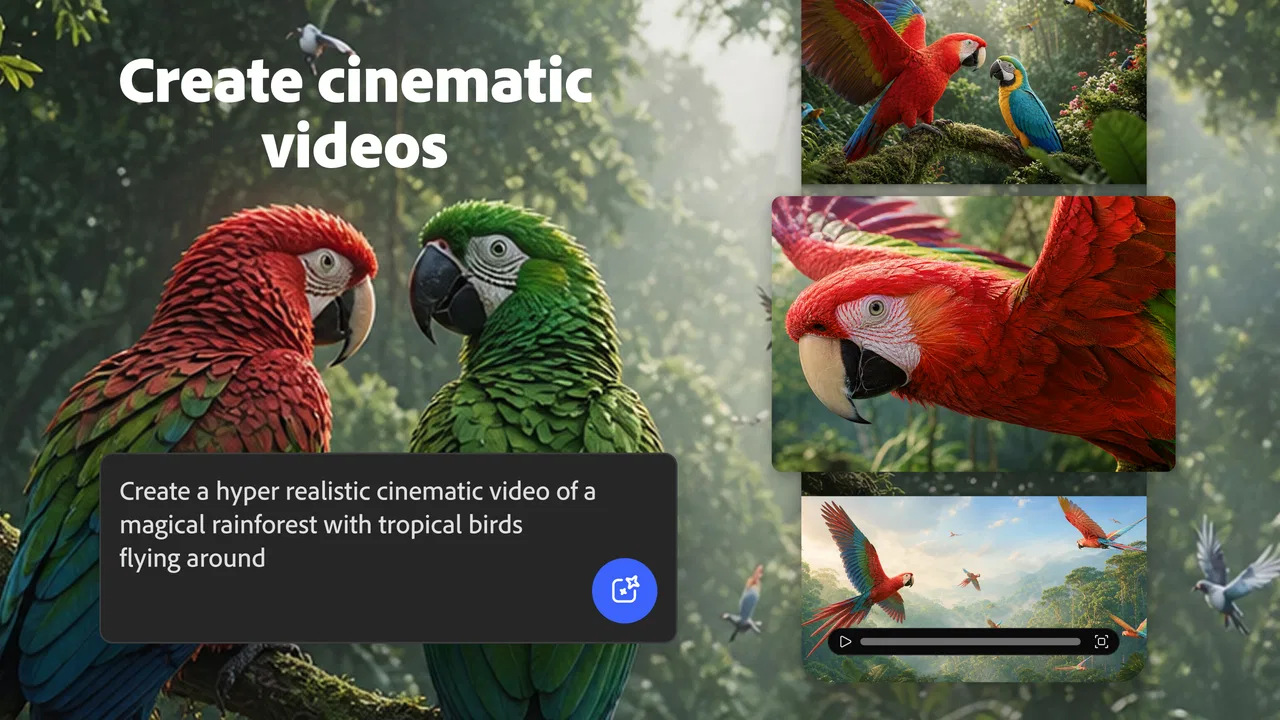
Adobe Firefly: AI Generator
- 4.4
- Rating
- 1.00M
- Installs
- Free
- Price

 Analysis by App-foxy
I found Adobe Firefly most interesting when I stopped treating it as a simple image generator and started using it as a quick creative workspace. On a phone, the appeal is obvious: I can begin with a written idea and explore images, video, photos, or animations without first opening a traditional drawing or editing program. That makes it useful when an idea arrives away from my desk, although the experience depends heavily on having a stable connection.
This is an Art & Design app from Adobe, available free of charge with optional in-app purchases ranging from $4.99 to $49.99 per item. It is rated for Everyone, and its current version is 25.11.13 for devices running OS 10 or newer. The app has reached over 1 million installs, with an average rating of 4.5 from around 20 thousand ratings. Those figures suggest that it has already found an audience, but they do not change my main conclusion: Firefly is best understood as an idea-generation tool, not a complete replacement for careful design software.
What the creative workflow feels like on a phone
The first useful distinction is between imagining and finishing. Firefly is particularly good at helping me move from a vague thought to something visible. I can describe a mood, subject, setting, or visual direction and use the result to decide what I actually want. That is a different job from producing a final brand asset, retouching a photograph precisely, or building a layered illustration from scratch.
You May Also Like

 Blood Strike: 2.5 Anniversary
Blood Strike’s Loadouts Turn Every Drop Into a Tactical Gamble
A close look at Blood Strike’s custom loadouts: how fast access to signature weapons reshapes its battle royale rhythm, rewards preparation, and narrows the gap between fights.

 Pandora - Music & Podcasts
Pandora’s Music Is Easy to Start, but Harder to Recover
Pandora’s strength is its low-effort path from a seed to a station. Its weak spot is how much confidence it asks you to place in connection, setup, and quiet recovery.

 8 Ball Pool
 Is Built on Rivalries, Rematches, and Routine
A close look at the rivalries, rematches, shared routines, and unanswered safety questions that turn a quick pool match into a persistent mobile community.

 Samsung Music
’s Quiet Strength Is Playing What You Already Own
Its reach comes less from spectacle than from dependable access to a personal library. That simplicity is both the app’s strongest retention engine and its ceiling.

 AccuWeather: Weather Radar
AccuWeather Review: A Quick, Clear Forecast for Everyday Decisions
For everyday plans, the best forecast is the one you can understand quickly. AccuWeather makes rain timing, radar, and local conditions easy to act on, with a few trade-offs.

 Hill Climb Racing
Why Hill Climb Racing Still Turns Crashes Into One More Run
A tiny car, a bumpy hill and one more upgrade: Hill Climb Racing keeps resurfacing because its simple chaos makes every near-miss feel personal.
More From Our News Desk



On mobile, this early-stage role makes sense. I might be planning a social post, looking for a visual reference for a presentation, or trying to explain an idea to someone who is not in the same room. Instead of collecting unrelated examples, I can create a starting point that reflects the wording in my head. The benefit is not just speed; it is the ability to test several directions before committing time to a more demanding workflow.
I also like the fact that the app covers more than still images. The possibility of working with video, photos, and animations gives the same idea room to develop across formats. A concept that begins as a poster-like image may need movement later, while a simple photo treatment may be enough for another project. That broader range makes Firefly more interesting than a narrowly focused text-to-image utility.
Still, I would not mistake variety for depth in every format. A phone screen is comfortable for reviewing possibilities, but less comfortable for making fine judgments about composition, timing, typography, or small visual defects. When the work becomes exacting, I prefer a larger display and a conventional editor. Firefly helps me discover a direction; it does not remove the need for judgment afterward.
Why the network matters during generation
The most important practical issue is connectivity. The central creative action involves sending a description through a connected service and waiting for a result, so a weak or crowded network can become part of the experience. In a strong connection, the process feels exploratory: I write, inspect, adjust, and try again. In a poor connection, that same loop becomes hesitant because every new attempt depends on another exchange.
This changes where I use it. At home or in a dependable workplace network, I can experiment without thinking much about the connection. In a train station, a busy café, or a moving vehicle, I would treat it as a tool for short sessions rather than something to rely on for a deadline. The app is most enjoyable when I have enough time to wait, compare results, and rewrite a prompt instead of needing one guaranteed output immediately.
A useful habit is to prepare the creative brief before opening the generator. I write down the subject, intended audience, visual mood, orientation, and details that must remain visible. That way, an interrupted session does not force me to reconstruct the idea from memory. It also makes each connected attempt more purposeful, which matters when the network is slow or access is limited.
I would not plan a presentation around Firefly unless I had already created and checked the necessary material. Connectivity is not merely a convenience here; it affects whether the main creative loop can happen at all. For casual exploration that is acceptable. For time-sensitive work, it is a reason to keep a finished local copy in another app or storage location once the result is ready.
Using it in ordinary mobile situations
One realistic scenario is a small business owner preparing a weekend announcement from a phone. They may know the message—perhaps a seasonal offer or an event reminder—but lack a suitable visual. Firefly can help them explore a background, atmosphere, or illustrative direction quickly, then they can decide whether the result is appropriate before placing text and final details in a separate design tool.
Another scenario is a student collecting visual references for a project. Rather than searching endlessly for an image that matches a very specific combination of subject and mood, the student can use a written description to test possibilities. The important step is to treat the generated material as a reference or draft unless it has been carefully checked for the project’s requirements.
I also see value for writers and presenters. When I am struggling to explain the tone of a scene or the look of a slide, a generated visual can expose what I mean more clearly than a paragraph of notes. It becomes a conversation starter. The result does not have to be perfect to be useful; it only has to make the direction easier to discuss.
Mobile use has limits, though. Long prompts are awkward to compose on a small keyboard, and reviewing many variations can become tiring. I get better results when I keep the first instruction focused, then make one meaningful change at a time. Changing subject, style, setting, and composition all at once makes it difficult to understand why a result improved or became less useful.
Prompting with control instead of guesswork
The biggest improvement in my workflow came from being more specific about the purpose of an image. “A beautiful city” is an open invitation to randomness. A description such as a quiet street scene for a travel article, with room for a headline and a restrained evening mood, gives me a clearer basis for judging the result. I am not trying to force every pixel; I am defining what success should look like.
I also separate essential instructions from optional decoration. The essential part describes the subject, intended use, framing, and emotional tone. Optional details can be added later. This is especially helpful on a phone because shorter revisions are easier to type and easier to compare across connected attempts.
A non-obvious trade-off is that more detail does not always mean more control. If I add too many competing visual requests, the output may satisfy several words while losing the overall purpose. I prefer a short, coherent brief followed by targeted revisions. That approach saves time and makes failures easier to diagnose.
For images that will carry text, I leave deliberate visual breathing room rather than asking the generator to solve the entire poster. I then add the wording in a dedicated design application. This avoids making the generated image responsible for both visual storytelling and precise communication, two jobs that require different kinds of control.
When a result fails and how I recover
Failure can happen in two different ways: the connection may interrupt the process, or the generated result may simply miss the intention. I handle both by avoiding a single-attempt mindset. Before starting, I keep the core description somewhere I can reuse, and I save promising results as soon as I have something worth keeping. That prevents a temporary interruption from erasing the useful part of the session.
When the visual result is wrong, I do not immediately rewrite everything. I identify the largest problem first. If the subject is unclear, I simplify the setting. If the composition is unsuitable, I describe the intended framing or leave space for later layout. If the mood is wrong, I adjust the lighting or atmosphere rather than replacing every noun in the prompt.
This incremental method is more reliable than chasing a perfect result through random wording. It also makes Firefly feel less like a slot machine and more like a visual brainstorming partner. The app can propose possibilities, but I still need to select, reject, and refine them.
There is another recovery technique that matters on mobile: use a generated result as a stepping stone. If one attempt has the right atmosphere but the wrong subject, I treat it as evidence about what wording is working. If it has the right subject but an unusable layout, I keep the concept and change the intended framing. Even an unsuccessful output can reveal a useful direction.
For serious work, I would also keep the final editing stage separate. Firefly may get me close to a concept, but a traditional editor is better for exact cropping, typography, alignment, color correction, and consistent branding. The handoff is not a weakness unique to this app; it is the sensible division between generative exploration and controlled production.
Being sensible about connection and data use
Because the creative process is network-dependent, I would use it deliberately when mobile data matters. I avoid repeatedly generating variations while connected through a limited plan, especially when I am still unsure what I want. Drafting the prompt first, narrowing the brief, and making fewer, more purposeful attempts is both more economical and creatively clearer.
On a metered connection, I would also avoid opening the app merely to browse ideas without a goal. The strongest mobile workflow is compact: decide what I need, create a small set of directions, keep the useful material, and continue detailed editing elsewhere. That approach respects both the connection and my attention.
I am careful about the material I use as inspiration, too. I would not casually enter confidential client details, private personal information, or unreleased campaign wording into an AI creative service. Even when the goal is harmless, it is better to describe the visual idea in general terms and add sensitive text later in a tool that fits the project’s privacy requirements.
This is also where the free price needs context. Starting without a purchase is approachable, but optional purchases between $4.99 and $49.99 per item mean that frequent or more ambitious use can lead to costs. I would begin with a clear purpose and check what I am receiving before paying for anything. Someone who only needs occasional inspiration may find the free entry point sufficient, while a heavy user should consider whether the ongoing workflow matches their budget.
Who should choose Firefly, and who should look elsewhere
I would recommend it to people who want fast visual exploration: social media creators, students, writers, presenters, small teams, and hobbyists who often begin with an idea rather than an existing image. It is especially appealing if you already use Adobe products or simply want a familiar creative direction from a written brief rather than a blank canvas.
I would be more cautious for professional designers who need exact repeatability, detailed layer control, or a carefully managed production pipeline. A conventional illustration, photo-editing, or layout application is usually the better primary tool for that work. Firefly can still contribute concepts, but it should not be the only application in the workflow.
It is also not my first choice for someone who needs dependable creation in places with unreliable connectivity. If the main requirement is to work during travel, in remote locations, or under strict network limits, a tool built around local editing is a better fit. Firefly’s strength is connected experimentation, so that strength becomes a limitation when the connection is the problem.
Compared with a standard drawing app, Firefly removes the need to begin with manual sketching, but gives me less direct control over every mark. Compared with a stock-image search, it can pursue a more specific concept, but I have to inspect the result rather than assuming that a found image already meets the brief. Compared with a full desktop design suite, it is quicker for ideation and less suitable for exact finishing.
That comparison explains where I place it in my own setup. I use it near the beginning of a project, not necessarily at the end. It helps answer “what could this look like?” before another application answers “how do I deliver this precisely?”
My final view of the connected experience
Adobe Firefly is a convincing mobile companion for turning written ideas into visual starting points. Its coverage of images, video, photos, and animations gives it more range than a single-purpose generator, while its free entry point makes experimentation easy to begin. The app’s 4.5 average and broad adoption fit my experience of a capable, approachable creative tool, though neither removes the need for careful review.
The deciding factor is connectivity. With a reliable network, I can move quickly from a rough thought to several directions and then carry the best idea into a more precise editor. With an unstable connection, the process becomes harder to depend on, especially when I need a result at a specific moment. I would therefore use it for brainstorming, references, campaign concepts, and quick visual communication, while keeping a separate finishing workflow for important work.
My practical verdict is simple: use Firefly when you want to explore possibilities quickly, but do not confuse exploration with completion. Prepare prompts before connecting, make focused revisions, save useful results promptly, and keep sensitive project details out of casual experiments. If that connected, iterative style suits you, this Art & Design app can make a phone feel surprisingly capable. If you need offline certainty or pixel-level control from the start, a traditional creative application will serve you better.
FAQs for Adobe Firefly: AI Generator
01What is Adobe Firefly: AI Generator?
Adobe Firefly: AI Generator is an innovative application designed to enhance creativity using AI technology. It allows users to generate unique designs, artworks, and visual content effortlessly. Perfect for both professionals and hobbyists, it integrates seamlessly with other Adobe products, offering a comprehensive suite for creative projects.
02How does Adobe Firefly utilize AI for design creation?
Adobe Firefly leverages advanced AI algorithms to analyze and create stunning visuals based on user inputs. By understanding patterns, colors, and design principles, it generates artwork that aligns with the user’s vision. The AI continuously learns from user interactions, improving its suggestions and outputs over time.
03Is Adobe Firefly suitable for beginners in design?
Yes, Adobe Firefly is designed to be user-friendly, making it accessible for beginners. The intuitive interface guides users through the design process, offering templates and suggestions that simplify the creation of professional-quality visuals. Tutorials and help resources are also available to assist new users.
04What are the system requirements for Adobe Firefly?
Adobe Firefly requires a compatible device running Android or iOS with a stable internet connection for optimal performance. For Android, a minimum of version 9.0 is recommended, while iOS users should have version 13.0 or later. Adequate storage space is also necessary for installation and updates.
05Are there any subscription fees for using Adobe Firefly?
Adobe Firefly offers a basic version for free, with limited features. For access to premium tools and full functionality, a subscription is required. Various plans are available, including monthly and annual options, which provide additional resources and integration capabilities with other Adobe products.
Pros
- Intuitive interface for easy navigation.
- Wide range of creative templates available.
- Seamless integration with Adobe Suite.
- Real-time collaboration features.
- High-quality image output.
Cons
- Requires Adobe account for access.
- Limited free features on basic plan.
- Heavy on device resources.
- Internet connection needed for full use.
- Occasional lag with complex projects.

Adobe Firefly: AI Generator
Gallery